
How to book
Step 1: Book a Session
For first-time users of our online booking system, a unique account creation is required. Provide the prompted relevant details, including your name, email address, and any other necessary information. Following submission, an email or on-screen confirmation of your appointment, along with any supplementary details, will be provided.
To access available dates, navigate to the top right corner of our website. Bookings can be made for the same day or up to 7 days in advance. It is strongly recommended to reserve your slot at least two hours before your intended start time.
When ready, select your preferred starting time, finalize the booking details, and proceed with payment.
Step 2: Arrive and Play
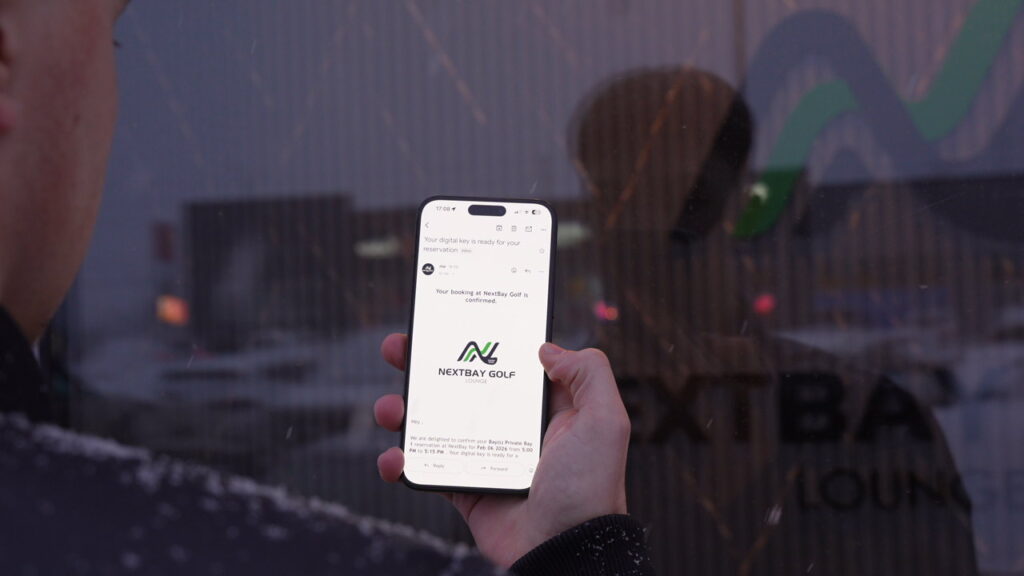
After your booking, you will receive an email in your inbox from us. This email will contain vital information regarding your booking, including a digital key needed for accessing our facility at the time of your booking.
In the rare event that you don’t receive the email within 15 minutes of booking, please inspect your SPAM or JUNK folders, your key may have been redirected there. If you still don’t find it in your inbox, kindly contact us via email. Upon arrival, use the link found in the email and tap”one-time access code”on your mobile device to open the door. Please ensure to do this while in-front of the main entrance, as the window of access is limited once the code is used. The access code is only available 15 mins before your book time. Remember to bring your own clubs, as we don’t offer club rentals at any of our locations.
Proceed to your booked bay, warm-up as necessary, and prepare to elevate your game! The lights and projector will activate at your scheduled start time, ensuring everything is prepared for your use. You’ll find a supply of balls conveniently available in your bay.